
Browser Sound Utility for Galaxy Devices
Fix My Samsung Speaker — Free Speaker Cleaner
If your Samsung Galaxy speaker sounds muffled or quiet, check the speaker openings first and remove visible debris safely. You can then use this free browser-based sound tool as a supplementary method for loosening some loose debris or moisture.
Samsung Speaker Cleaner
Sound-based cleaning for loose debris and moisture
Before You Start: Safe Preparation
Follow manufacturer-aligned care steps before initiating sound cycles to ensure maximum effectiveness without risking device damage.
Safety Notice for Samsung Galaxy Devices
- Start at low or moderate volume. Never place the speaker directly against your ear during tone generation.
- Stop immediately if you hear mechanical clicking, harsh distortion, or uncomfortable buzzing.
- Do not use compressed air: Samsung explicitly warns that canned compressed air can rupture internal water-resistant gaskets and membranes.
- Never use heat: Do not use hair dryers, microwave ovens, or heat guns on a wet Galaxy phone.
- Do not insert needles, pins, or toothpicks: Sharp objects easily puncture the protective dust mesh and the transducer cone beneath.
- This tool does not repair cracked voice coils, corroded circuitry, or hardware damage.
What is wrong with your Samsung speaker?
Select your symptom for immediate manufacturer-aligned diagnosis:
Troubleshooting Muffled Sound
- Inspect speaker openings with a torch. Look for compacted lint in the speaker slots.
- Gently use a clean, dry, soft-bristled brush across the port to lift surface debris.
- Remove thick protective cases that might partially obstruct acoustic ports.
- Run the 60-second Recommended Sweep at 40% volume with the speaker facing down.
- Perform a diagnostic audio check in the Samsung Members app.
What Is Samsung Speaker Cleaning?
Samsung speaker cleaning refers to the physical inspection, careful debris clearing, and acoustic agitation required when a Galaxy device's speaker openings become congested. Modern Samsung Galaxy smartphones employ micro-transducers protected behind fine mesh screens. Over time, pocket lint, makeup, dust, skin oil, and liquid droplets can obstruct these openings, drastically reducing sound pressure levels and causing audio to sound muffled, hollow, or distorted.
A software-based speaker cleaner does not chemically clean or mechanically scrub the phone. Rather, it produces precise acoustic sound waves through the browser's Web Audio engine. By oscillating the speaker's silicone or polymer diaphragm at strategic low frequencies, the speaker acts as a microscopic acoustic pump, creating rapid air displacements that can help shake free dry surface particles and break surface-tension liquid seals.
How Does a Samsung Speaker Cleaner Work?
This browser application runs entirely client-side using the native Web Audio API standard. When you tap Start Cleaning, the tool instantiates an AudioContext, connects a synthetic sine-wave OscillatorNode to a calibrated GainNode, and outputs audio directly to your device's primary DAC (Digital-to-Analog Converter) and speaker.
The physics rely on two principles:
- Diaphragm Cone Excursion: Micro-speakers in smartphones achieve greater physical cone excursion at lower frequencies (50–300 Hz) than at high treble frequencies. This wide physical swing drives pulses of air outward through the speaker grille.
- Resonance Sweeping: Different dust particles and trapped droplets have varying mass and adhesion forces. Rather than sticking to a single tone, our Recommended Sweep shifts from 120 Hz up to 300 Hz and back, ensuring multiple resonance modes are triggered.
Can This Samsung Speaker Cleaner Remove Dust?
A sound-based cleaner may help loosen some loose debris, but it is not a guaranteed replacement for physical cleaning. Visible or compacted dust should be handled according to Samsung's cleaning guidance.
When dry, powdery dust sits loosely over the grille, rapid acoustic vibrations can loosen the physical grip of the particles. However, if pocket lint has combined with earwax, skin oil, or moisture, it forms a dense, sticky felt-like layer over the acoustic mesh. Sound waves cannot dissolve sticky oils or magically vacuum out compacted lint. In such cases, careful brushing with a soft dry brush—or professional cleaning—is required.
To learn more about safe physical dust management, read our complete guide on how to clean dust from your phone speaker.
Can a Samsung Speaker Cleaner Remove Water?
Sound may help move or disperse some moisture around a speaker opening, but it should be treated as a supplementary step, not a guarantee of water removal.
When a water-resistant Galaxy phone gets submerged or splashed, liquid enters the speaker recess and forms a surface-tension film across the mesh holes. This film acts as an acoustic damper, making the phone sound severely muffled. Low-frequency sound waves can flex the speaker membrane with enough force to rupture this surface-tension barrier, expelling visible water droplets out of the port.
However, sound cannot dry internal moisture. If your phone was immersed in water:
- Immediately disconnect all cables and stop charging (charging a wet USB port triggers Samsung's moisture detection warning and causes terminal corrosion).
- Wipe the exterior thoroughly with a clean, lint-free microfiber towel.
- Gently tap the device against your palm with the speaker facing downward.
- Allow the device to dry naturally in an area with good airflow.
- Never use hair dryers or compressed air, which can force liquid deeper past the rubber water seals into the motherboard chamber.
For more detailed moisture recovery workflows, you can also explore our standalone water eject dashboard or our in-depth research on whether speaker cleaner sound really works.
Samsung Speaker Cleaner Settings
When cleaning a Samsung Galaxy smartphone, specific frequencies and sound profiles yield better mechanical agitation while keeping the micro-transducer within safe excursion limits. Here are the practical settings configured in this tool:
| Setting | Recommended Parameter | Purpose & Technical Rationale |
|---|---|---|
| Primary Mode | Recommended Sweep | Sweeps 120–300 Hz to prevent single-frequency driver fatigue. |
| Start Frequency | 120 Hz | Generates wide mechanical diaphragm excursion to overcome surface tension. |
| Main Benchmark Preset | 165 Hz | Widely utilized baseline frequency for acoustic ejection testing. |
| Upper Sweep Limit | 300 Hz | Faster vibration cycle to agitate smaller particulate matter. |
| Cycle Duration | 60 Seconds | Sufficient time for air displacement without voice-coil heating. |
| Initial Volume | 30% – 40% | Prevents clipping and protects sensitive hearing; increase gradually. |
| Oscillator Waveform | Pure Sine Wave | Smooth harmonic curve that avoids harsh square-wave clipping. |
| Device Orientation | Speaker Facing Downward | Enables gravity to carry displaced droplets and dust away from mesh. |
Note: These parameters represent practical tool configurations for browser-based sound generation and are not proprietary Samsung hardware specifications.
Samsung S24 Speaker Cleaning
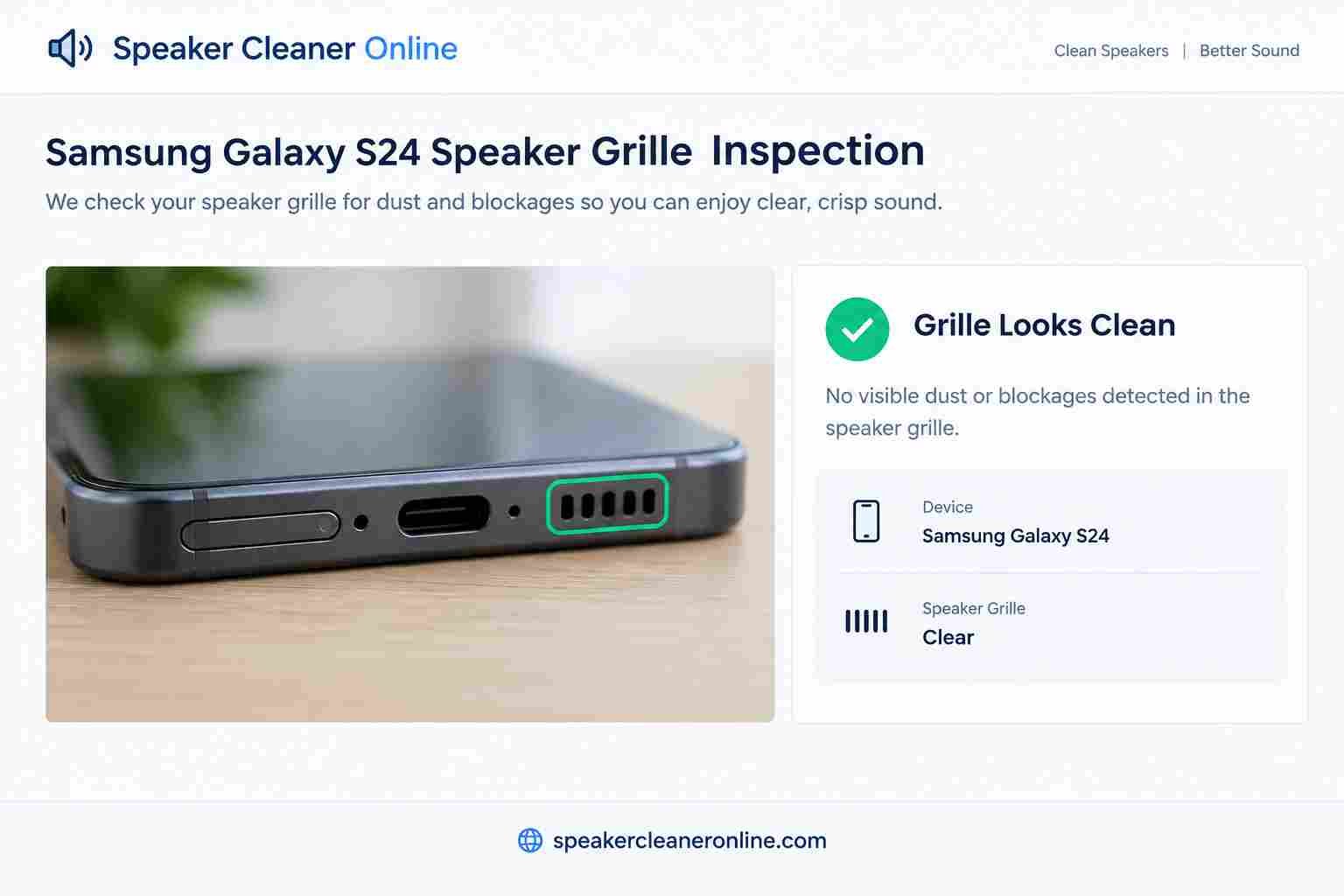
The flagship Samsung Galaxy S24, S24+, and S24 Ultra feature redesigned speaker enclosures with ultra-narrow micro-slits. If you notice your S24 speaker muffled after workouts, rain, or dust accumulation, follow this specific checklist:
- Inspect Both Ports: Remember that modern Galaxy phones utilize a stereo setup. The primary loudspeaker is located at the bottom next to the USB-C port (a precision-machined slit on the S24 series), while the earpiece speaker is hidden in an imperceptible hairline opening between the display glass and the aluminum frame.
- Remove Cases & Lens Protectors: Bulky cases frequently create acoustic eddy currents or trap moisture in the bottom speaker cavity.
- Clear Surface Lint: Use an ultra-soft, completely dry camera lens brush or clean makeup brush across the bottom slot. Never wedge sharp wooden or metal implements into the S24 slot.
- Execute Recommended Sweep: Open this tool in Samsung Internet or Chrome, set the volume to 40%, turn the bottom edge down toward a cloth, and run the 60-second sweep.
- Verify with Diagnostics: Open the native Samsung Members app, select Support > Phone Diagnostics > Speaker, and verify clean playback through both the top earpiece and bottom speaker.
Samsung Galaxy S8 and S9 Speaker Cleaning
For users servicing older legacy devices such as the Samsung Galaxy S8, S8+, S9, and S9+, physical speaker characteristics differ noticeably:
- Older Grille Geometry: The S8 and S9 utilize distinct drilled pill-shaped openings rather than continuous slit apertures. These individual holes tend to trap dense lint plugs over years of pocket carry.
- Aging Water Seals: The internal rubber IP68 water gaskets degrade naturally over time due to ambient ozone and heat exposure. Do not expose older Galaxy phones to running water or submerge them, even for cleaning.
- Gentle Maintenance: Clean the individual grille ports using gentle, circular sweeps with a dry, soft-bristled brush. Avoid pushing debris inward. Run this cleaner at 165 Hz or use the manual slider set around 150–180 Hz to assist in clearing dislodged dust.
Samsung Speaker Cleaner Sound: Understanding the Audio Engine
When searching for a samsung speaker cleaner sound, many users encounter low-quality video clips or compressed MP3 files. Compressed streaming audio files often cut off bass responses due to lossy codecs (such as AAC or MP3) and cannot dynamically change frequency sweeps.
In contrast, this tool generates continuous, mathematically pure mathematical tones directly in your browser hardware via the MDN OscillatorNode frequency interface. By programming exact Hertz values in real-time, the browser executes scheduled frequency ramps (linearRampToValueAtTime) that deliver clean, uncompressed acoustic excursion without harmonic distortion or audio artifacts.
Samsung Speaker Test & Built-In Diagnostics
If you have completed a cleaning cycle and need an objective benchmark to verify whether your speaker hardware is performing accurately, Samsung provides an integrated diagnostic tool:
- Samsung Members App: Standard on all unlocked and carrier Galaxy phones. Open Samsung Members, tap the Diagnostics icon, and choose Speaker. The app will play a sequence of high- and low-frequency tones through both the bottom loudspeaker and top receiver, asking you to confirm whether audio was clear.
- Online Speaker Test: If you prefer to test acoustic channels immediately in your browser without launching external apps, you can use our dedicated speaker test tool or verify specific frequencies using our browser tone generator.
Samsung Speaker Cleaning Methods Compared
| Cleaning Method | Best Used For | Safety Level | Key Limitations |
|---|---|---|---|
| Soft Dry Brush | Visible lint, dry external grille dust | Very Safe | Cannot penetrate deep mesh or clear liquid barriers. |
| Controlled Sound Sweep | Loose dust particles, surface-tension water | Safe (at moderate vol) | Will not clear oily or compacted grease; cannot repair hardware. |
| Samsung Members Diagnostic | Acoustic performance verification | Completely Safe | Diagnostic only; does not physically remove dirt. |
| Natural Air Drying | Moisture inside ports or acoustic chambers | Very Safe | Requires patience (typically 12–24 hours). |
| Professional Service | Torn cones, liquid corrosion, severe blockage | Completely Safe | Requires visiting an authorized Samsung Service Center. |
| Compressed Canned Air | Not recommended | Hazardous | Prohibited by Samsung: Can blow out internal water seals. |
Supported Samsung Galaxy Device Compatibility
Because this utility operates via standard web audio standards, it works across all modern Samsung Galaxy smartphones, tablets, and mobile operating systems, including:
Galaxy S Series
Galaxy S25, S24 Ultra, S24+, S24, S23 series, S22, S21, S20 FE, S10, S9, S8.
Galaxy Z Fold & Flip
Galaxy Z Fold 6, Fold 5, Fold 4, Galaxy Z Flip 6, Flip 5, Flip 4 foldable stereo systems.
Galaxy A & M Series
Popular everyday models including Galaxy A55, A54, A35, A15, M54, and M34.
Galaxy Note Series
Galaxy Note 20 Ultra, Note 20, Note 10+, and Note 9 acoustic enclosures.
Galaxy Tablets & Rugged
Galaxy Tab S9/S8 quad-speaker systems and rugged Galaxy XCover models.
Other Platforms
Also compatible with other Android devices via our Android speaker cleaner and iOS devices via our iPhone speaker cleaner.
Helpful Manufacturer & Technical Resources
When troubleshooting phone hardware, rely strictly on verified manufacturer documentation:
- Samsung Support: Speaker does not work properly on Samsung phone — Official troubleshooting covering cases, Bluetooth routing, volume controls, and compressed-air warnings.
- Samsung Support: Protect Galaxy phone after water exposure — Official care guidelines regarding liquid exposure, drying times, and avoiding external heat.
- Samsung Members: Hardware diagnostics on Galaxy devices — Instructions for launching native microphone and speaker hardware tests.
- Apple Support: Cleaning mobile phone speakers — Industry-standard guidance recommending soft dry brushes and warning against chemical cleaners.
- MDN Web Docs: Web Audio API Overview — Authoritative technical reference for in-browser audio synthesis and gain automation.
Frequently Asked Questions
How do I clean my Samsung speaker?
Start by removing your phone case and inspecting the speaker openings with a light. Gently brush away exterior dust using a clean, soft, dry toothbrush. Afterward, run a controlled sound sweep between 120 and 300 Hz on this page at moderate volume with the speaker facing downward to help dislodge loose particles.
What is the best Samsung speaker cleaning method?
The best method combines external dry brushing with acoustic agitation. Use a soft nylon brush for the outer grille, followed by a browser-based low-frequency tone sweep. Never insert pins or use compressed air.
How do I clean a Samsung S24 speaker?
Take off the case, check the narrow bottom speaker slit, lightly brush the exterior with a soft dry bristle brush, and run the 60-second Recommended Sweep at 35–40% volume. Verify performance using the Samsung Members diagnostics app.
Can I use a speaker cleaner on Samsung?
Yes. Browser-based sound cleaners use standard audio frequencies that play through your phone's regular speaker system without requiring special permissions or apps. Simply start at moderate volume and stop if you hear distortion.
Does Samsung speaker cleaner sound work?
Sound sweeps work within physical limits. Rapid diaphragm oscillations can loosen dry surface debris and break water surface tension in the grille. However, sound cannot repair damaged speaker cones or dissolve compacted grease.
What frequency should I use to clean a Samsung speaker?
Low frequencies between 120 Hz and 300 Hz are ideal because they produce wide diaphragm excursion. A progressive multi-frequency sweep is generally more effective than a single static tone.
Is 165 Hz good for speaker cleaning?
165 Hz is a popular benchmark frequency because it creates strong mechanical motion without sounding piercing. It is an excellent starting point, which is why we include it as a dedicated preset.
Can sound remove dust from a Samsung speaker?
Sound vibrations can shake free light, loose dust particles resting on the speaker grille mesh. It will not remove sticky, caked-on lint or debris glued down by skin oils.
Can sound remove water from a Samsung speaker?
Yes, sound can assist in breaking the surface tension of water droplets trapped in the mesh, causing them to bead up and exit the port. Complete natural air drying is still required afterward.
How do I fix a muffled Samsung speaker?
Check if Bluetooth is accidentally connected to another device, remove your case, brush the grille gently, run our 60-second Recommended Sweep, and allow the device to dry if it was exposed to moisture.
Why is my Samsung speaker quiet?
Quiet audio is typically caused by clogged grille mesh, Bluetooth routing audio to earbuds, media volume limits in settings, or moisture dampening the diaphragm.
Why is my Samsung speaker crackling?
Crackling usually indicates physical moisture inside the acoustic cavity, severe lint buildup restricting cone movement, or a damaged, torn speaker driver that requires hardware replacement.
How do I clean a Samsung Galaxy S9 speaker?
Inspect the individual grille holes, gently brush away lint with a soft dry brush, and play a 150–180 Hz tone at 40% volume. Avoid running water over older devices as internal gaskets degrade over time.
How do I clean a Samsung Galaxy S8 speaker?
Use a clean dry brush across the bottom speaker opening without applying heavy inward pressure. Run the sound sweep with the phone resting face-down on a soft towel.
Does Samsung have a speaker diagnostic?
Yes. The Samsung Members app includes a dedicated Phone Diagnostics tool that tests both stereo speakers and the top earpiece receiver independently.
Should I use compressed air on my Samsung speaker?
No. Samsung explicitly advises against compressed air. High-pressure air can rupture delicate internal speaker diaphragms and permanently compromise IP68 water seals.